Always-On Display Mode
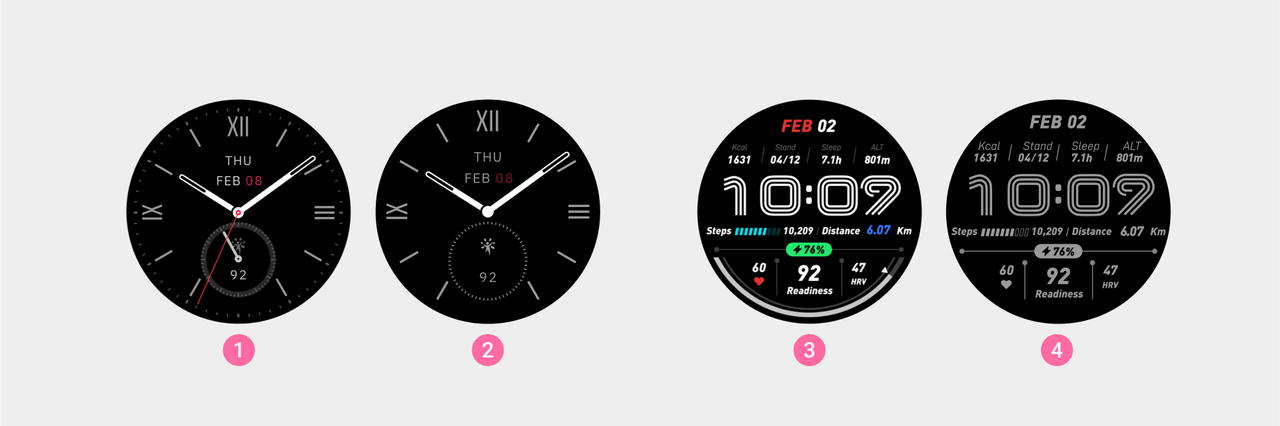
① Watch face A
② Watch face A's Always-On Display Mode
③ Watch face B
④ Watch face B's Always-On Display Mode
The Always-On Display mode allows the device to show key information like time even when the screen is off, enabling users to quickly access important information without needing to raise their wrist. The display types for the Always-On Display mode are mainly divided into the following two categories:
- Follows the current watch face: Uses the Always-On Display style associated with the currently active watch face.
- Custom selected watch face: Users can choose any Always-On Display style according to their personal preferences and usage habits. For the production guidelines of the Always-On Display watch face, please refer to: Always-On Display Production Guidelines.
Design Principles
- Hands and Numbers: Avoid displaying the second hand or digital seconds.
- Time Scale: The time scale can be retained to improve time recognition.
- Resource Consistency: Ensure that the size of the hands and numbers in the cutout matches the normal watch face.
- Switching between Always-On Display mode and Normal Display mode: Minimize the positional differences of elements between different modes to avoid displacement during switching.
- Other Data: In addition to time, display other data as needed (such as step count, date, weather, battery level, heart rate, etc.).
Digital Watch Face Handling Method
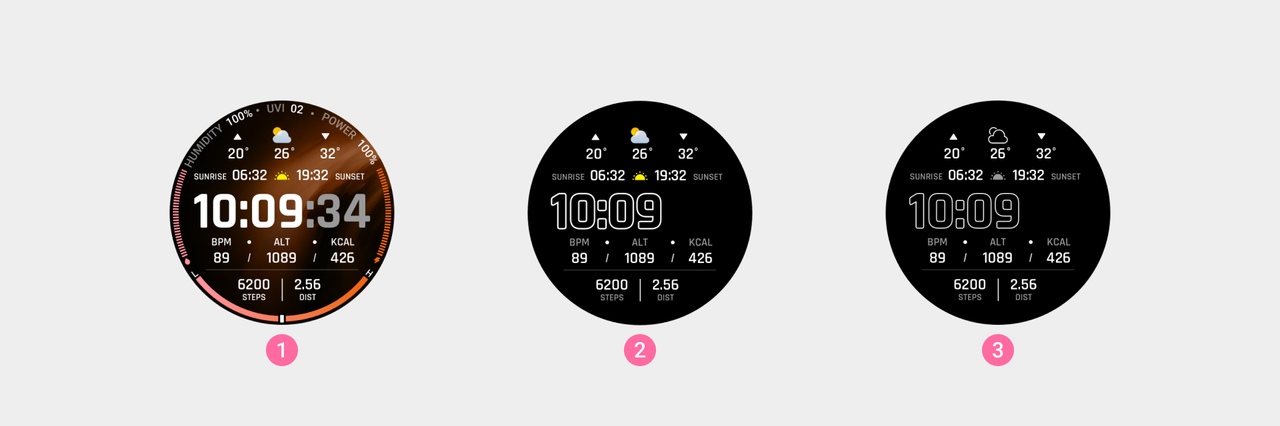
① Watch face A
② Always-On Display Mode example A
③ Always-On Display Mode example B
- Time Numbers:
- It is recommended to use an outlined design, with the lines in pure white (#FFFFFF).
- Second Numbers: Please remove the second digits.
- Watch Face Background: Please remove the gradient background color and large area background images. Set the watch face background to pure black (#000000).
- Color Specifications: Avoid using too many colors, and ensure that at least one value in the RGB color values is greater than or equal to 128 (e.g., R:0, G:0, B:128). If using gray, ensure that the RGB color values are greater than 153 (e.g., R:160, G:160, B:160).
- Large Area Elements: When one of the RGB values exceeds 182 (e.g., R:120, G:120, B:200), it is recommended to change the large area elements to outlines with a line width of 6px or less. For elements where all RGB values are below 182, no changes are currently necessary.
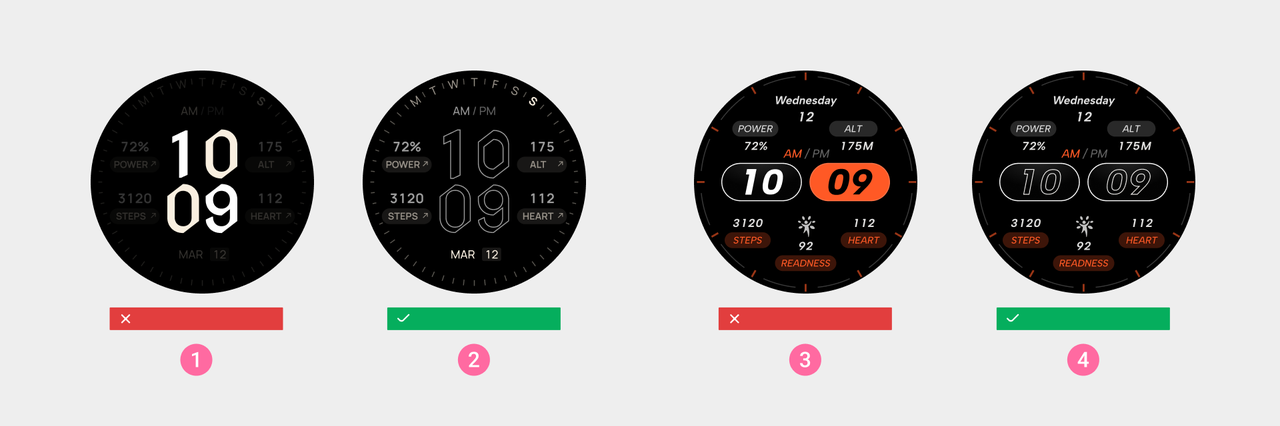
① Incorrect Example: All RGB color values are below 128
② Correct Example
③ Incorrect Example: There are large area elements, and one of the RGB values exceeds 182
④ Correct Example