openInspector
Supported since API_LEVEL
4.0. For API compatibility, please refer to API_LEVEL.
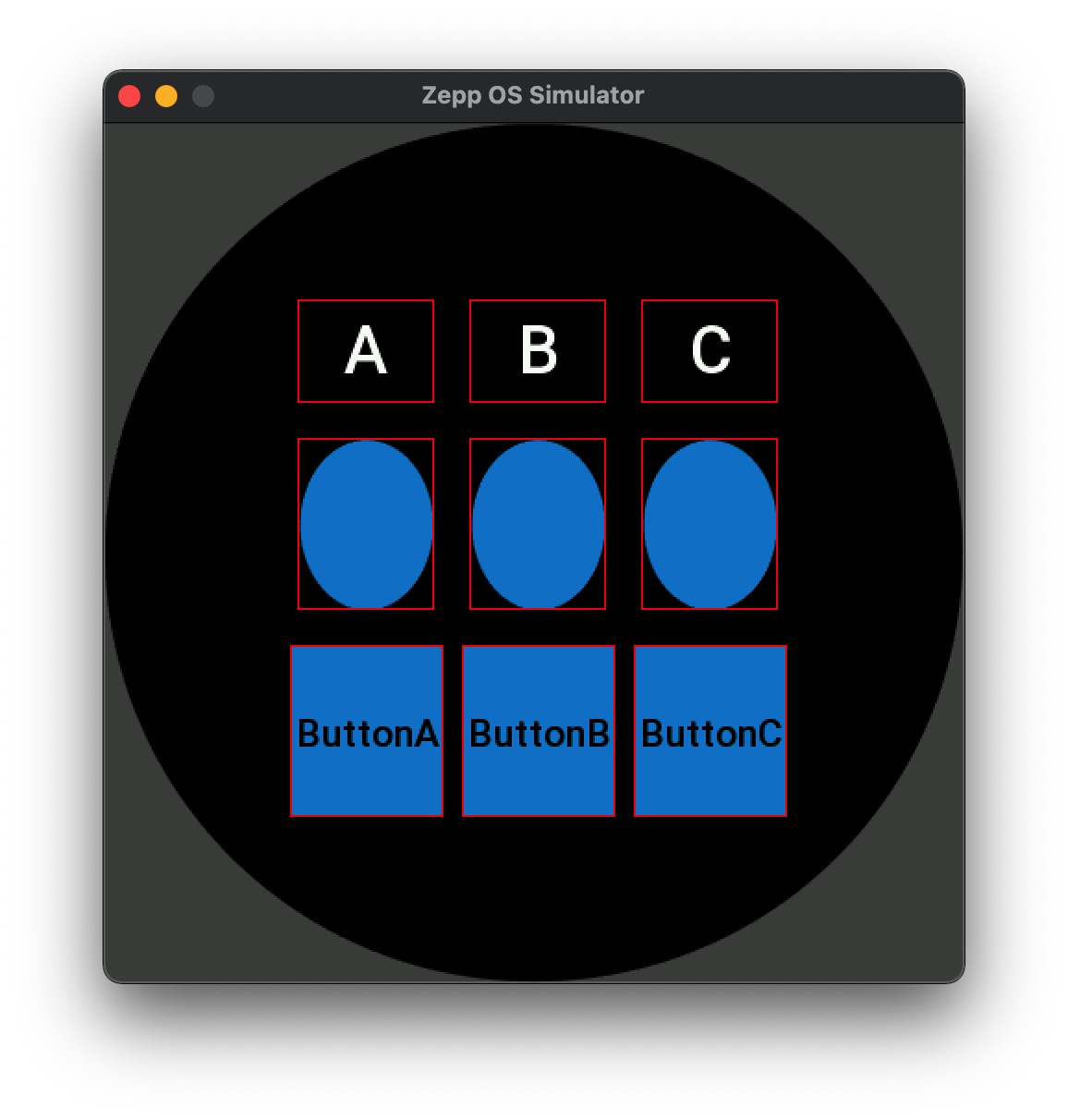
During development, especially when using Flex layout, you may need to check the actual layout position and size of each widget. Using openInspector() can visually display the boundaries of all widgets participating in layout in the simulator, helping developers debug layout issues.
Used in the simulator to draw boundary rectangles for all widgets participating in layout, helping developers debug layout issues. This method should be called after the build() lifecycle.
Type
function openInspector(): Inspector
Parameters
None
Return Value
| Type | Description |
|---|---|
Inspector | Inspector object instance |
Inspector Object Methods
draw(options)
Draws boundary rectangles for all widgets participating in layout.
Parameters
| Parameter | Type | Required | Default | Description |
|---|---|---|---|---|
| options | object | No | - | Draw options |
options Object Properties
| Property | Type | Required | Default | Description |
|---|---|---|---|---|
| line_color | number | No | - | Border line color, hexadecimal value, e.g., 0xff0000 for red |
| line_width | number | No | - | Border line width |
| border_mode | number | No | 0 | Border draw mode, 0 for outward drawing, 1 for inward drawing |
clear()
Clears all drawn boundary rectangles.
Code Example
import { openInspector } from '@zos/ui'

Page({
  build() {
    // Create layout...

    // Draw boundary rectangles for all widgets participating in layout
    setTimeout(() => {
      openInspector().draw({
        line_color: 0xff0000, // Red
        line_width: 1, // Line width of 1
        border_mode: 1 // Draw border inward
      })
    }, 100)
  }
})