Widget Animation
Start from API_LEVEL
2.0. Please refer to API_LEVEL.
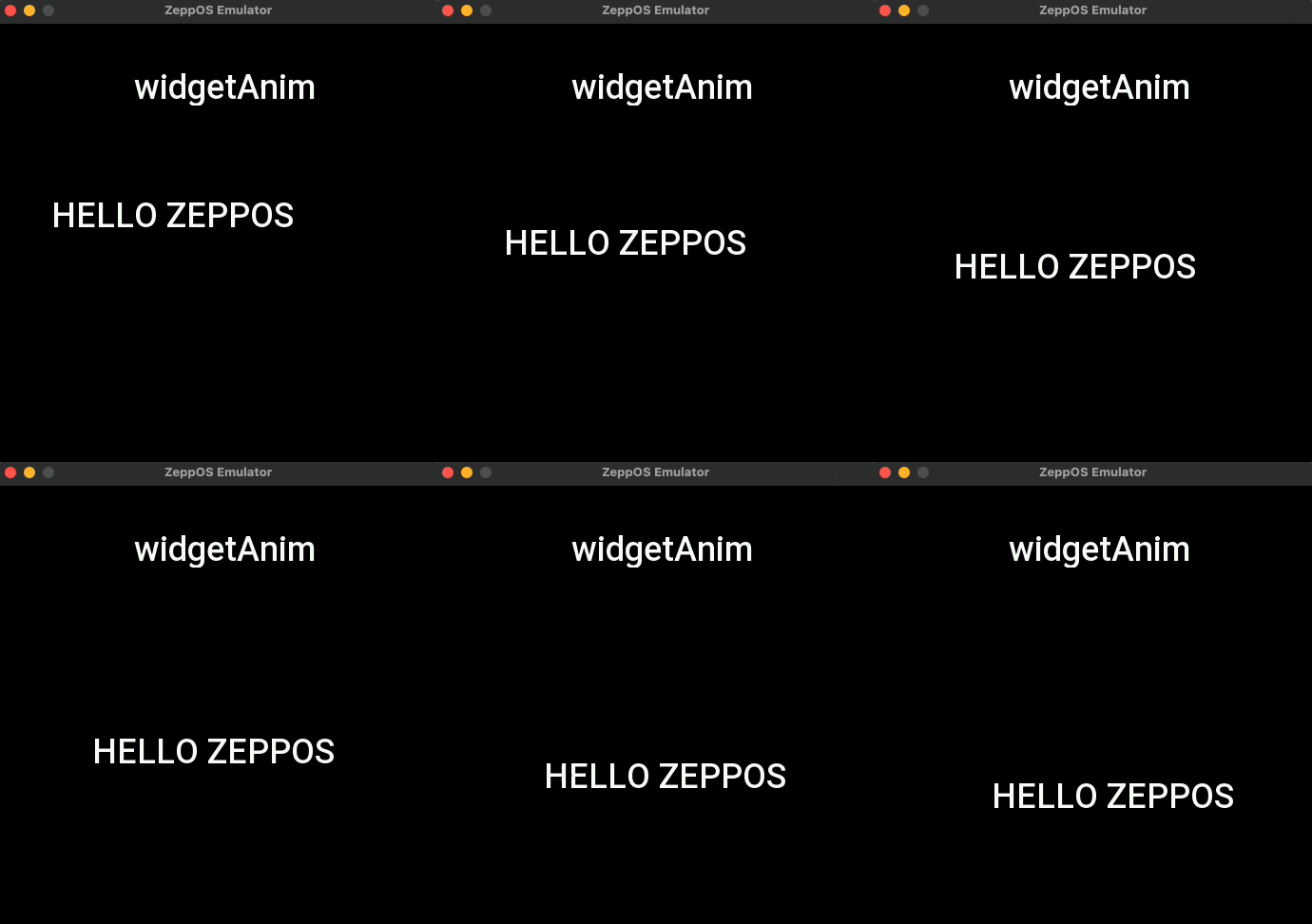
Widget animation can add animation effects to some of the widget's property changes. The above image shows the TEXT widget's x and y properties changing at the same time, creating a moving animation effect.
Properties that support animations
The properties that support setting animations are
| anim_prop |
|---|
| prop.X |
| prop.Y |
| prop.W |
| prop.H |
| prop.ALPHA |
Individual property animation configuration
| Property | Type | Description |
|---|---|---|
| anim_prop | number | To add the properties of the animation, refer to anim_prop |
| anim_from | number | The value of the property at the start of the animation |
| anim_to | number | The value of the property at the end of the animation |
| anim_rate | string | Animation curve, optional values linear, easein, easeout, easeinout, bounce, refer to https://easings.net/ |
| anim_duration | number | Animation duration, in milliseconds |
| anim_offset | number | The delay before the animation starts, in milliseconds |
Animation Configuration
| Property | Type | Description | API_LEVEL |
|---|---|---|---|
| anim_steps | Array<anim_config> | Attribute animation configuration array, refer to anim_config, multiple sets of animations can be performed simultaneously | 2.0 |
| anim_fps | number | Animation frame rate, default 25 | 2.0 |
| anim_auto_start | number | If or not the animation plays automatically, default 1, 0: don't play automatically; 1: play automatically | 2.0 |
| anim_auto_destroy | number | If or not the animation is automatically destroyed, default 1, 0: not automatically destroyed; 1: automatically destroyed | 2.0 |
| anim_repeat | number | Animation loop, default 0, -1: infinite loop; 0: play once; or specify the number of times to play directly | 2.0 |
| anim_frame_func | () => void | Callback function for each frame of animation playback | 2.0 |
| anim_complete_func | () => void | End of animation callback function | 2.0 |
| anim_repeat_func | () => void | The animation plays the callback function of each loop, which takes effect when anim_repeat is greater than '0' | 3.6 |
Animation Status anim_status
- Use
widget.setPropertyto set the animation play state - Use
widget.getPropertyto get the animation play state
| anim_status | Description |
|---|---|
| anim_status.START | start |
| anim_status.STOP | stop |
| anim_status.PAUSE | pause |
| anim_status.RESUME | resume |
| anim_status.UNKNOW | unknown |
Code example
import { createWidget, widget, align, text_style, prop, anim_status } from '@zos/ui'
import { px } from '@zos/utils'

Page({
  build() {
    const textWidget = createWidget(widget.TEXT, {
      x: px(96),
      y: px(120),
      w: px(288),
      h: px(46),
      color: 0xffffff,
      text_size: px(36),
      align_h: align.CENTER_H,
      align_v: align.CENTER_V,
      text_style: text_style.NONE,
      text: 'HELLO ZEPPOS'
    })

    const anim_step1 = {
      anim_rate: 'linear',
      anim_duration: 2000,
      anim_from: px(10),
      anim_to: px(110),
      anim_prop: prop.X
    }

    const anim_step2 = {
      anim_rate: 'linear',
      anim_duration: 2000,
      anim_from: px(120),
      anim_to: px(300),
      anim_prop: prop.Y
    }

    const animId = textWidget.setProperty(prop.ANIM, {
      anim_steps: [anim_step1, anim_step2],
      anim_fps: 25
    })

    textWidget.setProperty(prop.ANIM_STATUS, {
      anim_id: animId,
      anim_status: anim_status.PAUSE
    })

    textWidget.setProperty(prop.ANIM_STATUS, {
      anim_id: animId,
      anim_status: anim_status.RESUME
    })

    const currentStatus = textWidget.getProperty(prop.ANIM_STATUS, animId)
  }
})