FILL_RECT
Supported from API_LEVEL
2.0. For API compatibility, please refer to API_LEVEL.
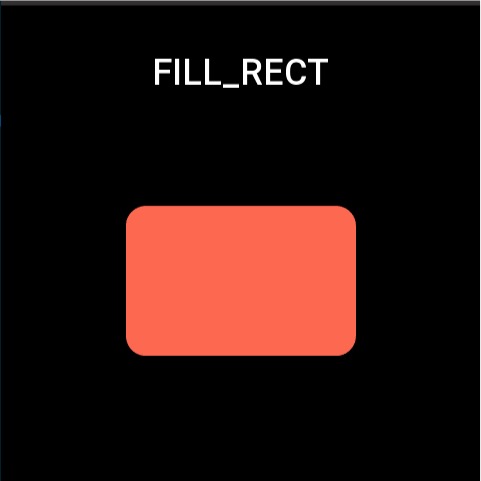
The Fill Rectangle widget is used to draw a solid color rectangular area.
Create UI Widget
import { createWidget, widget } from '@zos/ui'

const fillRect = createWidget(widget.FILL_RECT, Param)
Types
Param: object
| Property | Description | Required | Type | API_LEVEL |
|---|---|---|---|---|
| x | The x-coordinate of the widget | YES | number | 2.0 |
| y | The y-coordinate of the widget | YES | number | 2.0 |
| w | The width of the widget | YES | number | 2.0 |
| h | The height of the widget | YES | number | 2.0 |
| color | The color of the widget | YES | number | 2.0 |
| radius | The corner radius of the rectangle | NO | number | 2.0 |
| angle | The rotation angle | NO | number | 2.0 |
| alpha | Opacity, value range 0-255, default 255 (opaque), 0 (transparent) | NO | number | 3.0 |
| pos_x | Drawing area x offset (only works when angle%360!=0) | NO | number | 4.0 |
| pos_y | Drawing area y offset (only works when angle%360!=0) | NO | number | 4.0 |
| rect_width | Width of the drawing area (only works when angle%360!=0) | NO | number | 4.0 |
| rect_height | Height of the drawing area (only works when angle%360!=0) | NO | number | 4.0 |
Property Access Support List
| Property | setProperty | getProperty | setter | getter |
|---|---|---|---|---|
| x | Y | Y | Y | Y |
| y | Y | Y | Y | Y |
| w | Y | Y | Y | Y |
| h | Y | Y | Y | Y |
| color | Y | Y | Y | Y |
| radius | Y | Y | Y | Y |
| angle | Y | Y | Y | Y |
| pos_x | N | Y | N | Y |
| pos_y | N | Y | N | Y |
| rect_width | N | N | N | Y |
| rect_height | N | N | N | Y |
| center_x | Y | Y | Y | Y |
| center_y | Y | Y | Y | Y |
| alpha | Y | Y | Y | Y |
Code Example
import { createWidget, widget, prop } from '@zos/ui'

Page({
  build() {
    const fill_rect = createWidget(widget.FILL_RECT, {
      x: 125,
      y: 125,
      w: 230,
      h: 150,
      radius: 20,
      color: 0xfc6950
    })

    fill_rect.addEventListener(event.CLICK_DOWN, (info) => {
      fill_rect.setProperty(prop.MORE, {
        x: 125,
        y: 200,
        w: 230,
        h: 150
      })
    })
  }
})